
Alt + X codes for Word (Microsoft Word)
Instant Unicode lookup with one-click copy for professional document formatting.
Không tìm thấy kết quả
How to use the alt + x shortcut
Step 1: Locate your symbol.
Use the search bar or browse our categorized list to find the specific character you need.
Once you have identified the symbol, you are ready to use the data provided by our tool to enhance your workflow.
Step 2: Copy the hex value.
Click on any item box to instantly copy the hexadecimal code to your clipboard.
Our system is designed to save you time by ensuring you do not have to manually type out long or complex codes into your document.
Step 3: Convert in Microsoft Word.
Paste or type the code into your document and immediately press Alt and X at the same time.
This action triggers the software to convert the numerical string into the actual symbol, such as a currency sign, mathematical operator, or special icon.
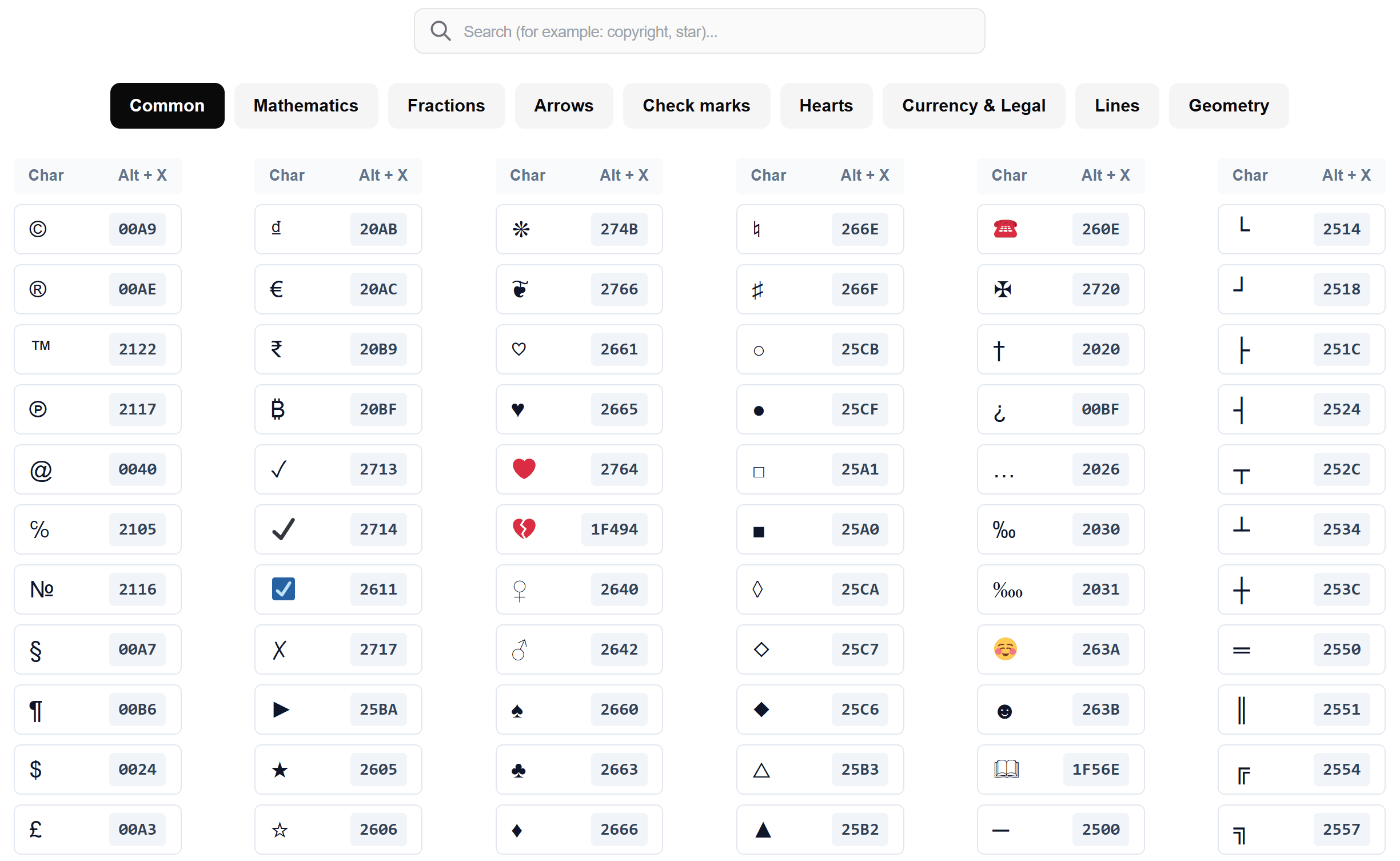
What is the Alt + X shortcut?
An “Alt + X character” is any special symbol, icon, or letter that is produced by using the Alt + X command in Microsoft Word. While your keyboard has limited physical keys, the Unicode standard contains over 140,000 different characters. By typing a unique hexadecimal code and hitting the shortcut, you can unlock this entire library.
Using Alt + X codes for Word is like having a direct line to the heart of your word processor. Instead of searching through the “Insert Symbol” gallery, you perform a Unicode hex codes lookup to find the exact “coordinates” of the character you want. This is the gold standard for anyone who needs to insert special symbols in Word with high precision and speed.
These characters are vital for professional document creation. Because they are part of the standard MS Word keyboard shortcuts, they are more stable than images or copy-pasted icons. They behave like normal text, meaning they will scale, change color, and change font style right along with your paragraphs. This makes them the perfect choice for technical reports, legal documents, or creative projects on copypastefree.com.
Would you like me to draft a “Most Popular Codes” list to include at the end of this section?
Master professional formatting with alt + x codes for Word
Typing specialized characters should not be a slow process involving endless menus. While the standard symbol menu in office software is functional, it is often cluttered and difficult to navigate. Our tool at copypastefree.com solves this by providing a streamlined Unicode hex codes lookup environment.
By using Alt + X codes for Word, you maintain total control over your typing speed. These codes are built into the core functionality of professional writing software, allowing you to insert special symbols in Word without ever taking your hands off the keyboard.
Key features of our searchable tool
Who is this tool for?
This resource is tailored for anyone who prioritizes precision in their digital work. Students and researchers can quickly find Greek letters or advanced mathematical notation for academic papers.
Legal and financial professionals will find the quick access to currency signs and trademark symbols invaluable.
Even if you are just a casual user looking for a specific arrow or bullet point, this tool makes the process effortless.
Conclusion
Efficiency is the secret to a professional writing workflow. By using Alt + X codes for Word, you transform your keyboard into a powerful tool capable of producing any character in the Unicode library. Bookmark this page on copypastefree.com today to ensure you always have the right shortcuts at your fingertips when you need them most.