
Accented letters copy and paste tool
Find and copy letters like á, é, ñ, ü, and ç in seconds with search, filters, and one-click copying.
How to use this tool
Step 1: Type a letter, accent name, or keyword into the search box.
This helps you find the exact character you need faster, whether it is á, ñ, ü, ç, or another variation.
Step 2: Click the character you want to copy.
Once you click a letter, it is copied instantly so you can paste it into your document, message, form, or post.
Step 3: Use the visible copy option when you want more than one result.
If you want to grab several matching characters at once, you can copy all visible results instead of selecting them one by one.
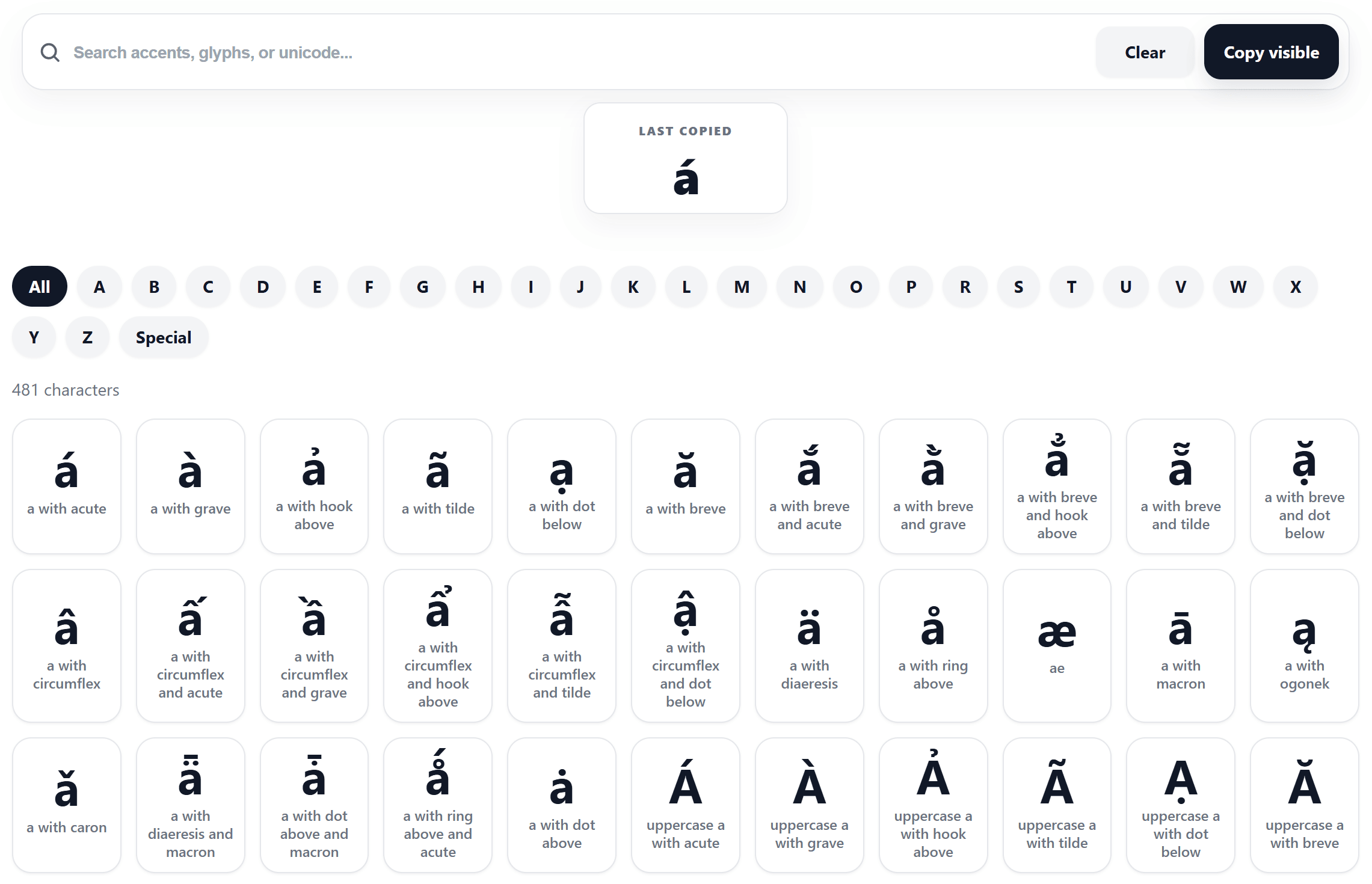
A simple way to find the right accented letter
Sometimes you only need one small character, but finding it takes longer than it should. You may be writing a name like José, Zoë, García, or François. You may need to type words in Spanish, French, German, Portuguese, or another language. Or maybe you just want to add the right letter to a school assignment, a work document, or a social media caption.
That is exactly where this accented letters copy and paste tool becomes useful. Instead of switching keyboard layouts, remembering shortcuts, or searching random pages for one symbol, you can look up the character directly and copy it in a moment.
For many people, speed matters more than complexity. When all you want is a clean way to copy á, é, ñ, ü, ç, ã, ø, or å, a focused tool like this is often much more convenient than a long manual method.
If you would rather learn keyboard-based input methods, you can also read this guide on how to type accented letters on Windows laptop.
What this tool helps you solve
A lot of users run into the same problems again and again. They know the character they want, but they do not know how to type it. In other cases, they know the language, but not the shortcut. Some people are in a hurry and do not want to open keyboard settings or search for Alt combinations.
This tool solves that by giving you one clear place to search, browse, and copy the letter you need. It is especially helpful when you want accented characters copy and paste access without dealing with extra steps.
It is also useful for people who search for special letters with accents because they need a practical result, not a technical explanation. Instead of learning a whole input system first, they can simply find the character and move on with their work.
Key features
- Fast search for letters, accents, glyph names, or related keywords
- Easy browsing through grouped tabs so results are easier to scan
- One-click copy for individual characters
- Copy visible option for grabbing multiple matching letters at once
- Last copied preview so you can quickly see the most recent character
- Live character count to show how many results are currently visible
- Clear empty state when no matching accented letter is found
- Clean interface that keeps the task simple and direct
Another nice advantage is that this page is built for practical use. You are not forced into a complicated input method just to get one letter right. That makes it helpful for anyone who has ever searched for accent marks copy and paste and wanted a faster answer.
If you prefer number-based shortcuts for character input, you can explore the Alt code decimal tool. If you need more than accented letters, the broader symbol collection is also useful.
Who should use this tool
This tool is suitable for almost anyone who works with text.
- Students writing homework, essays, reports, or language exercises
- Teachers preparing lessons, worksheets, and examples
- Office users editing emails, spreadsheets, documents, and forms
- Writers, editors, and bloggers who want more accurate text
- Translators and language learners working with foreign vocabulary
- Social media users adding names, words, or captions with the correct accents
- Website owners creating content with international names or terms
- Anyone who occasionally needs letters like á, é, ñ, ü, ç, ã, ø, or å but does not want to memorize shortcuts
In short, this is not only for language experts. It is for everyday users too.
Why this tool is often easier than manual typing
Manual typing methods can work, but they are not always convenient. Some people do not have a full keyboard. Some do not remember the shortcut they need. Others are on a shared computer, a laptop, or a browser session where changing keyboard settings feels unnecessary.
That is why a simple copy-and-paste workflow still makes sense. You open the page, search the character, click once, and paste it where needed. There is no setup, no confusion, and no need to interrupt your work.
For quick text tasks, that kind of simplicity is a real advantage.
Conclusion
When the goal is simply to find the right letter and use it immediately, a dedicated accented letters copy and paste page is one of the easiest solutions available. It removes the friction of keyboard switching, shortcut memorization, and endless searching.
Whether you need one character like ñ or several options like á, é, ü, and ç, this tool gives you a faster and cleaner way to get the job done. It is practical, easy to understand, and useful for students, professionals, creators, and everyday users alike.