
Online Text Case Converter
A powerful, privacy-first tool to transform text instantly—keeping your URLs, emails, and custom keywords safe while you clean up formatting messes.
Cấu hình nâng cao ▼
How to use the Text Converter: A Step-by-Step guide
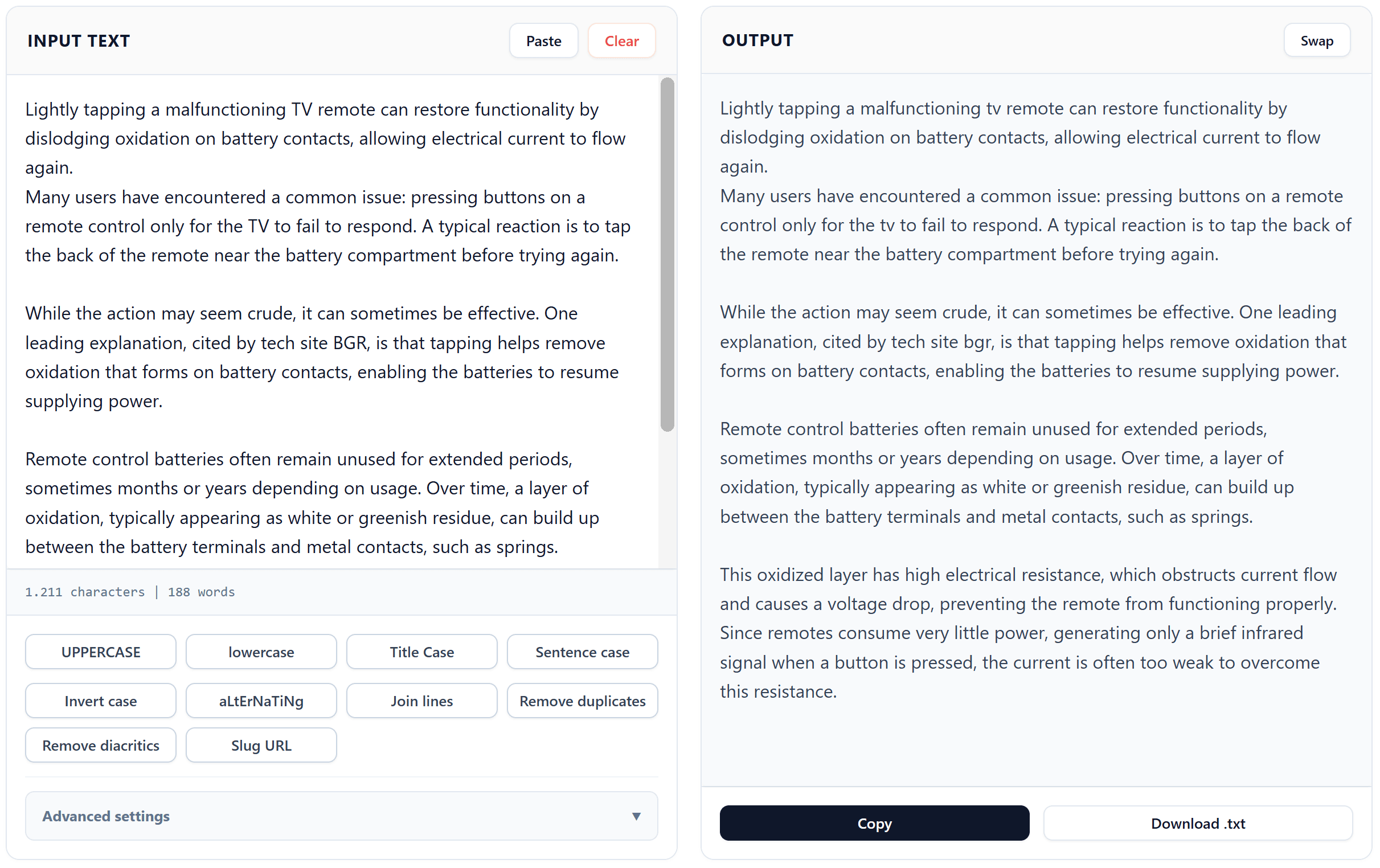
Step 1: Input content
Paste your text into the Input box using the “Paste” button or type directly. This is your workspace for all transformations.
Step 2: Set scope
To edit only a specific part, highlight it and enable “Process selected text only” in the Advanced Settings.
Step 3: Transform
Click any button—from UPPERCASE to Slug URL—to instantly apply changes. Use “Remove diacritics” to clean Vietnamese accents.
Step 4: Output & Save
Check the result in the Output box. Use “Copy” to take your text or “Download .txt” to save it permanently.
The solution to your formatting headaches
We have all been there: you finish typing a long, detailed email only to realize your Caps Lock was on the entire time. Or perhaps you have copied data from a PDF or a spreadsheet, and now your text is littered with broken lines, double spaces, and annoying duplicates. Cleaning this up manually is not just tedious; it is a waste of your creative energy.
This is exactly why we built the Professional Online Text Case Converter at copypastefree.com. It is designed to be more than just a simple case switcher. It is a comprehensive formatting suite that understands the nuances of modern digital writing. From social media managers to software developers, this tool is the “Swiss Army Knife” for anyone who works with words daily.
Why our tool stands out
While there are many converters available on the web, most of them follow a “slash and burn” approach—they change everything they see. Our tool is different because it respects the integrity of your data.
One of our most powerful features is the ability to format text without losing URLs. If you are converting a list of resources to lowercase, you usually have to go back and fix every website link because “HTTPS” became “https” or symbols were corrupted. Our intelligent logic identifies URLs and email addresses, shielding them from any case changes. You get the formatting you want without breaking the links that matter.
Advanced features for power users
If you need more control, the Advanced Settings (Cấu hình nâng cao) panel offers professional-grade options:
Clean whitespace and duplicates: With a single click, you can remove trailing spaces, turn double spaces into single ones, and delete redundant lines. This is essential for cleaning up messy lists or code comments.
Exception Words (Keep Unchanged): Do you have brand names like “iPhone”, “ChatGPT”, or “HTML” that must stay exactly as they are? Simply type them into the exception list, and the converter will ignore them during the process.
Selection-Only Processing: This is a unique feature that allows you to target specific areas of your text. You no longer have to copy-paste small chunks back and forth; just highlight the section you want to change within the main input and apply the effect.
Slug URL Generator: Perfect for SEO experts and bloggers. Turn any title into a clean, search-engine-friendly URL string in seconds.
Who should use this online text case converter?
Frequently asked questions (FAQ)
In an era where content is king, the way your text looks matters just as much as what it says. The Online Text Case Converter at copypastefree.com is here to ensure your formatting is always flawless, your URLs remain functional, and your workflow stays fast. Stop wasting time on manual corrections and let our smart algorithms do the heavy lifting for you.