
Kaomoji copy and paste online
Search, pick, and copy cute kaomoji in seconds
Ký tự đã chọn:
Không tìm thấy ký tự nào phù hợp
How to use this kaomoji copy and paste tool
Step 1: Search for the kaomoji you want
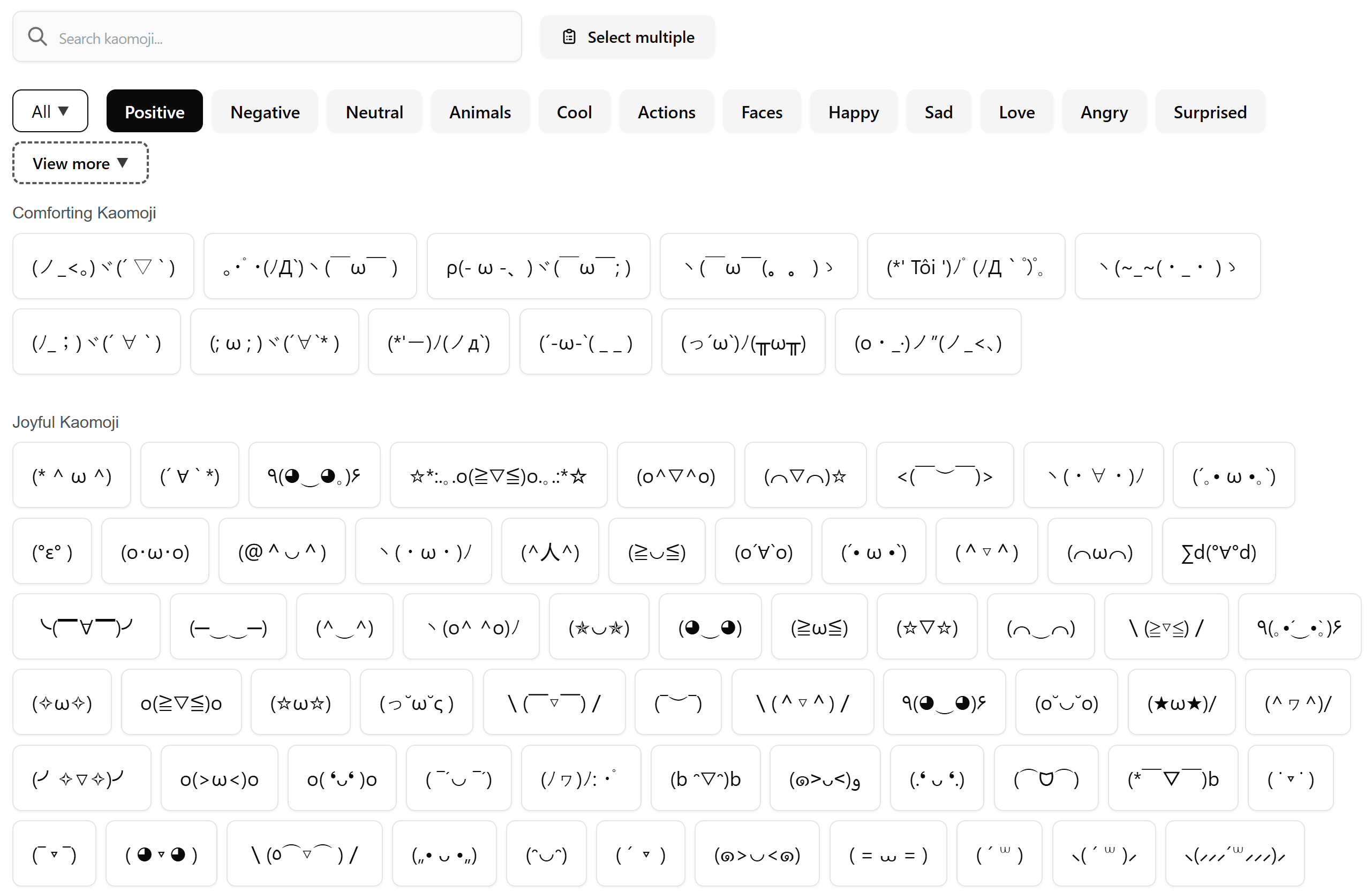
Use the search box to find kaomoji faster. The tool is built with a search feature, so users can quickly look for matching text faces instead of scrolling through everything manually.
Step 2: Browse by category
If you do not want to search, you can explore kaomoji by category. The tool organizes items into categories and groups, which makes it easier to discover different styles for different moods and situations.
Step 3: Click to copy instantly
When you find a kaomoji you like, simply click it to copy. This makes the tool useful for quick chats, captions, comments, and posts where speed matters.
Step 4: Select multiple kaomoji if needed
A useful feature of this tool is multi-select mode. Users can pick several kaomoji and copy them together, which is helpful when comparing styles or saving a small set of favorites for later use.
What is a kaomoji copy and paste tool?
A kaomoji copy and paste tool helps you find and use Japanese-style text emoticons quickly. Instead of typing every symbol by hand, you can browse ready-made kaomoji, click the one you like, and paste it anywhere you want.
Kaomoji are popular because they can show emotion in a more playful and expressive way than plain text. They are often used in messages, social media posts, profiles, captions, forums, and online communities. Some look cute, some look funny, and others can show excitement, sadness, surprise, or even embarrassment.
For many users, the biggest benefit is speed. When people search for kaomoji copy and paste, they usually want something simple that works right away. They do not want to waste time searching through cluttered pages or copying characters one by one. This tool is designed for exactly that purpose.
Why this tool is useful
Many kaomoji websites give users long lists of text faces without much structure. That can be frustrating when you need something specific. This tool improves that experience by giving users a cleaner and faster way to find what they need.
It includes a searchable interface, category-based browsing, and one-click copy support. It also supports selecting multiple kaomoji at once, which is a strong advantage for people who want to save time or compare several options before pasting.
Another useful point is that the tool supports both Vietnamese and English, making it easier for a wider range of users to navigate the interface.
Main features
- Fast search to help users find matching kaomoji quickly
- Category and group browsing for easier discovery
- One-click copy for quick use in chats, posts, and comments
- Multi-select mode for copying several kaomoji at once
- Sticky action bar during selection mode for easier control
Difference between kaomoji and emoji
Some users think kaomoji and emoji are the same thing, but they are different.
Emoji are graphic symbols such as faces, objects, and icons. Kaomoji are text-based emoticons made from characters on a keyboard. Because of that, kaomoji often have a unique charm. They can feel more creative, more personal, and sometimes more expressive in text conversations.
For example, if you want something that looks playful and handmade, kaomoji often feel more interesting than standard emoji. That is why many people search for japanese emoticons or text faces copy and paste when they want something different from normal emojis.
Who should use this tool?
This tool is useful for many kinds of users.
People who chat often can use it to make conversations more fun. Social media users can add personality to captions, comments, and bios. Students and younger users may enjoy using cute kaomoji in messages with friends. Content creators can also use them to decorate casual posts in a way that feels more lively and friendly.
It is also a good choice for people who simply want fast results. If someone goes to Google and searches for kaomoji copy and paste, they are usually looking for a quick tool that is easy to understand. This one fits that need well because it focuses on searching, browsing, and copying without making the process complicated.
Why people search for cute kaomoji online
Cute kaomoji are especially popular because they can make a message feel warmer and more expressive. A short sentence can become much more lively with the right text face. This is why terms like cute kaomoji continue to be useful supporting keywords for a page like this.
Users often want kaomoji for happy moods, shy reactions, love messages, playful teasing, or aesthetic profile edits. A well-organized tool helps them get to those results much faster than a plain text list.
Conclusion
A good kaomoji tool should be quick, simple, and pleasant to use. This one stands out because it is not just a random collection of text faces. It gives users search, category browsing, one-click copy, and even multi-select copying in one place.
If someone is looking for a fast kaomoji copy and paste solution, this kind of tool is exactly what they need. It removes friction, saves time, and makes it much easier to find the right text face for any mood or message.
If you want, I can next make a second version that is even more SEO-aggressive and a bit more polished for publishing immediately.