
Special characters and symbols
Explore a unique collection of characters to elevate your digital content.
Không tìm thấy ký tự nào phù hợp
How to find and use special symbols easily
Step 1: Search for your desired icon.
Use the search bar at the top of the interface to type in a keyword like “heart,” “arrow,” or “star.” The real-time filtering system will instantly display all relevant matches from our extensive database.
Step 2: Select one or multiple items.
Click on any character to see its details. If you need to build a string of icons, click the “Multi-select” button to activate the bulk selection mode, which allows you to gather several symbols into a single collection shown in the preview bar.
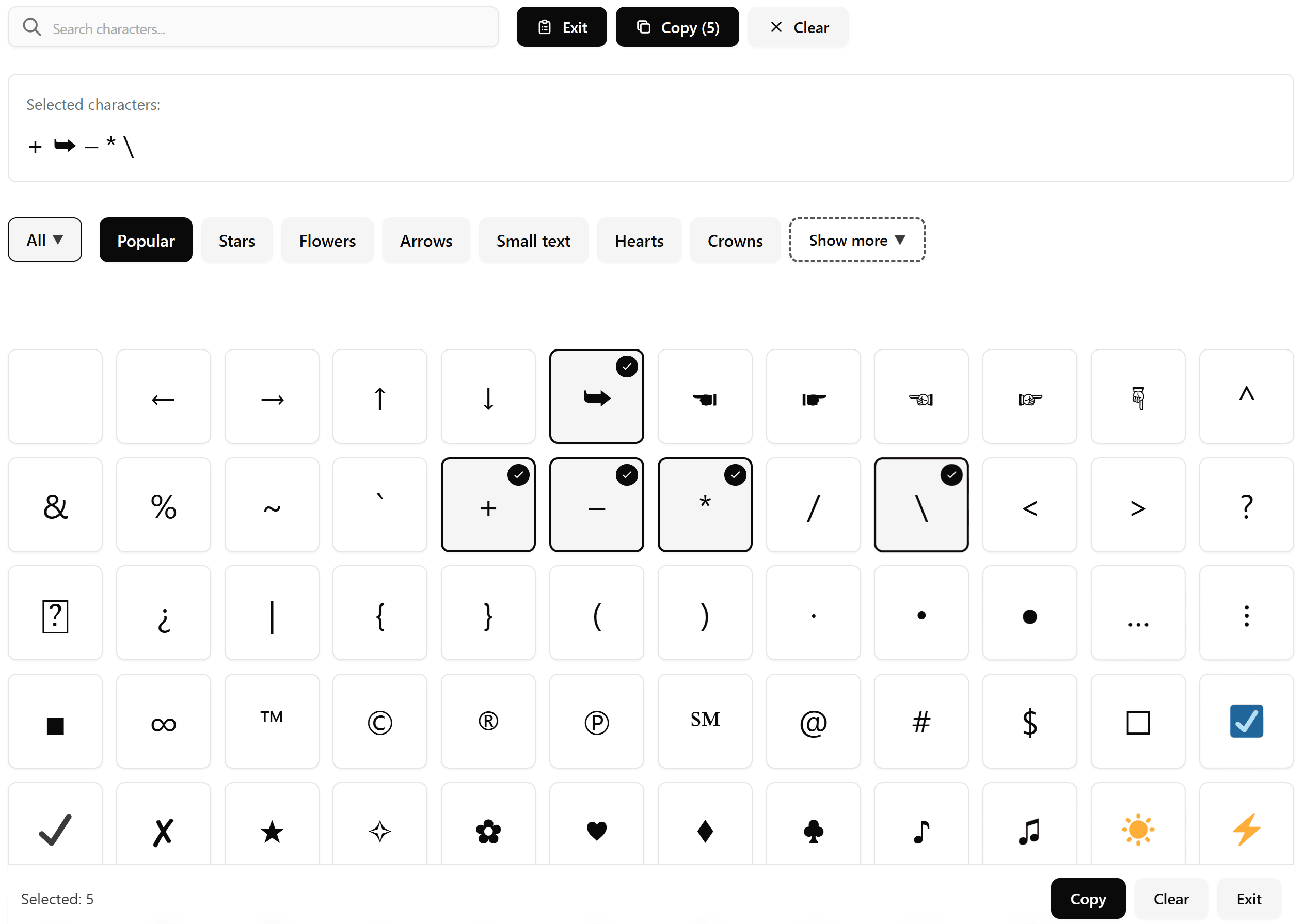
Step 3: Copy in your preferred format.
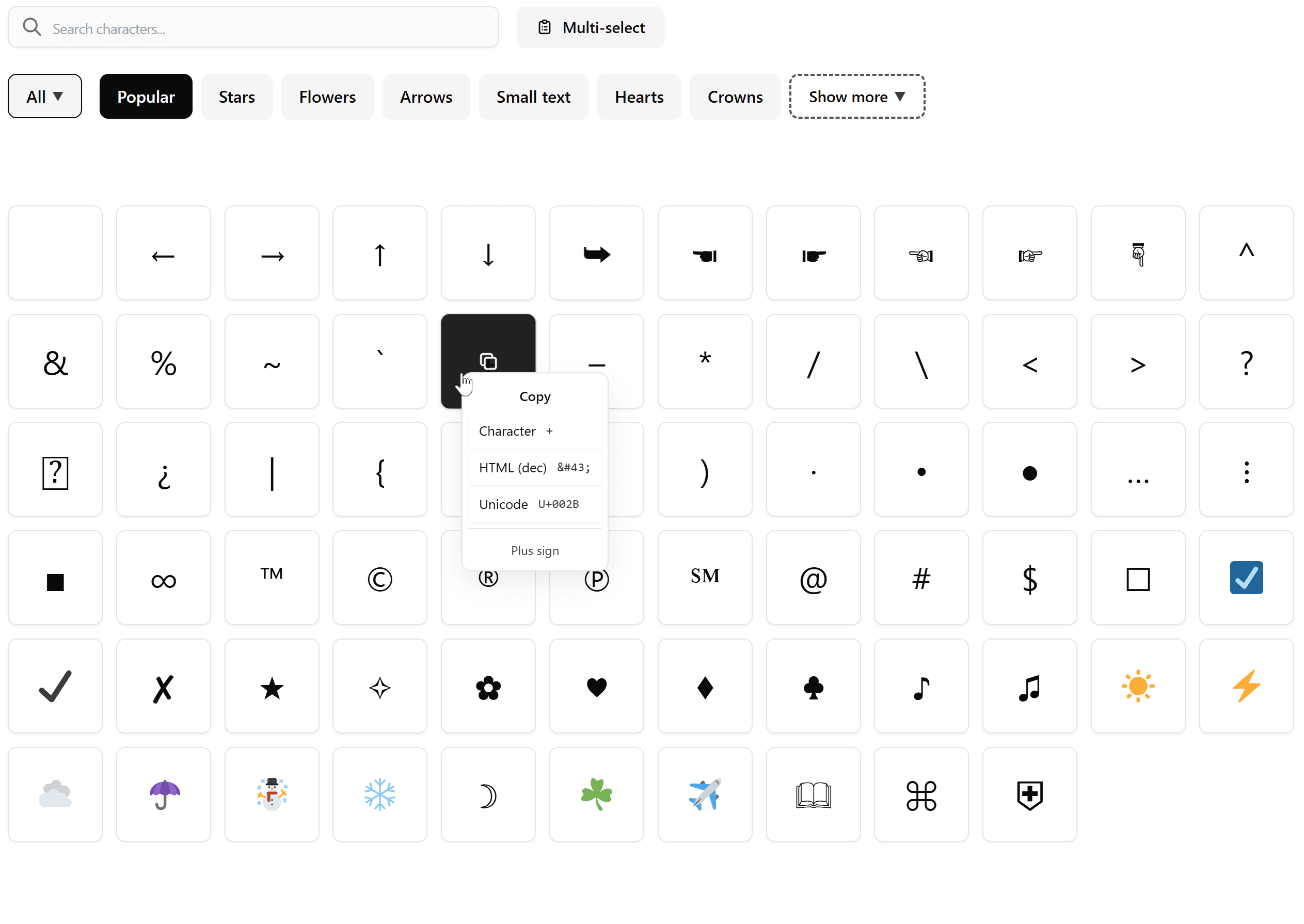
Once you have made your choice, you can simply click to copy. For advanced users, right-click or long-press on any symbol to open the context menu, where you can grab the specific Unicode or HTML code needed for your website or app.
The power of special characters and symbols in digital storytelling
Have you ever felt like plain text just isn’t enough to convey your message? In the modern digital landscape, special characters and symbols act as the visual punctuation that gives your content personality and structure. Whether you are designing a sleek website, writing a technical manual, or just trying to make your social media bio stand out, these tiny glyphs bridge the gap between simple text and graphic design.
Our tool was built to make this process seamless, removing the frustration of hunting through complicated menus or memorizing obscure Alt-codes. We provide a clean, lightning-fast interface where every symbol you could ever need is just a click away.
Why aesthetic symbols are essential for social media
In the United States and across the globe, the trend of using aesthetic symbols has exploded. From “soft girl” aesthetics to “minimalist” professional branding, users on platforms like Instagram, TikTok, and X (Twitter) are constantly looking for unique ways to decorate their profiles. These symbols, such as delicate sparkles, tiny stars, and elegant floral dividers, help create a visual hierarchy and attract attention in a crowded feed.
By using our “Multi-select” feature, you can curate a beautiful combination of these decorative elements and see them in the preview window before you commit to a copy, ensuring your final post looks exactly how you envisioned it.
The professional side: HTML entity lookup for developers
While many users come here for the fun icons, we haven’t forgotten the professionals. Developers and web designers often need to find specific codes to ensure their websites render correctly across different browsers.
Our tool functions as a high-speed HTML entity lookup engine. Instead of searching through long documentation, you can use our context menu to instantly copy HTML (decimal), Unicode, or named entities. This is particularly useful for symbols like the copyright sign, trademark symbol, or complex mathematical operators.
Because the tool runs entirely on your browser, it is incredibly fast and responsive, making it a staple utility in any developer’s bookmark bar.
Popular symbol trends in the United States
Staying ahead of digital trends in the US means knowing exactly which special characters and symbols are currently capturing public attention. From financial reports to social media aesthetic, here are the top categories people are searching for:
- Navigation & Call-to-Action Arrows: In the world of US email marketing and professional presentations, arrows are king. High-demand copy and paste symbols include bold pointers (➔), sleek minimalist arrows (→), and stylized chevrons (»), used to guide a reader’s eye to a link or button.
- Trending Currency & Crypto: With the rise of digital finance, searches go far beyond the standard Dollar sign ($). Users are frequently looking for the Bitcoin symbol (₿) and various cryptocurrency icons to use in financial summaries and trading discussions.
- Aesthetic Text Decorators: The “fancy text” movement is massive on platforms like Instagram and TikTok. People love using aesthetic symbols like small wings (ʚ ɞ), decorative brackets (【 】), and elegant flourishes (✧ ❀ ✧) to frame their usernames and bios.
- Academic & Math Essentials: North American students and educators drive heavy traffic for functional symbols. The most common “must-haves” include the degree symbol (°), the plus-minus sign (±), and the “not equal to” sign (≠) for digital assignments.
Advanced features for a better workflow
What sets this tool apart from a basic character map is the “Sticky Bar” and “Selection Preview.” When you are working on a long list or a complex design, the sticky bar stays at the bottom of your screen, keeping your selected count visible at all times. This is perfect for mobile users who don’t want to scroll back to the top to finish their task.
Furthermore, our “Clear” and “Exit” functions allow you to reset your workspace instantly, making it easy to move from one project to the next without any leftover clutter. The logic is designed to be “client-side,” meaning we never see or store the text you are working with, providing you with total privacy.
Conclusion
In a world where digital communication is the primary way we connect, the tools we use should be both powerful and easy to understand. The special characters and symbols library on our site is more than just a list of icons; it is a versatile workspace designed for everyone from the casual social media user to the professional software engineer.
By combining a massive database with smart features like multi-selection and deep code access, we help you save time and express yourself more clearly. Stop struggling with keyboard shortcuts and start exploring a world of visual possibilities with our all-in-one symbol utility today.